
On this page
- What the IFZA Financial Report Is
- The IFZA Financial Report at a Glance
- Simplified Form or Audited Accounts: Which One Applies to You
- Which Accounting Basis to Use
- Why the Accounting Basis Matters
- Documents to Keep Ready Before You Start
- How to Fill In the Simplified Form, Field by Field
- Submitting and Signing
- Common Mistakes to Avoid
- Frequently Asked Questions
What the IFZA Financial Report Is
Since 30 September 2025, every company licensed by IFZA has to submit its financial statements each time it renews its trade licence. This applies to FZCOs and to branches of other companies. IFZA sends the company an email, often titled "Action required: Financial Statement still pending", with a link to an online Financial Report form.
The renewal cannot go ahead until that form is completed and signed. Small companies can fill in a short online form called the Simplified Financial Statement. Larger companies upload a full set of audited financial statements instead. Either way, the figures cover your most recently completed financial year.
The IFZA Financial Report at a Glance
| Who must submit | Every IFZA licensee, whether an FZCO or a branch |
|---|---|
| When | At every licence renewal from 30 September 2025 |
| Which year | Your most recently completed financial year, as set in your Articles of Association |
| Simplified form | Turnover of AED 3 million or less and fewer than 9 employees |
| Everyone else | Audited financial statements from a UAE-registered auditor |
| Format | IFZA's own online form only; no other format is accepted |
| Who signs | The authorised signatory (Manager, Director or Shareholder), electronically |
| If you don't submit | The renewal stays on hold, and IFZA warns that monthly fines may apply |
Simplified Form or Audited Accounts: Which One Applies to You
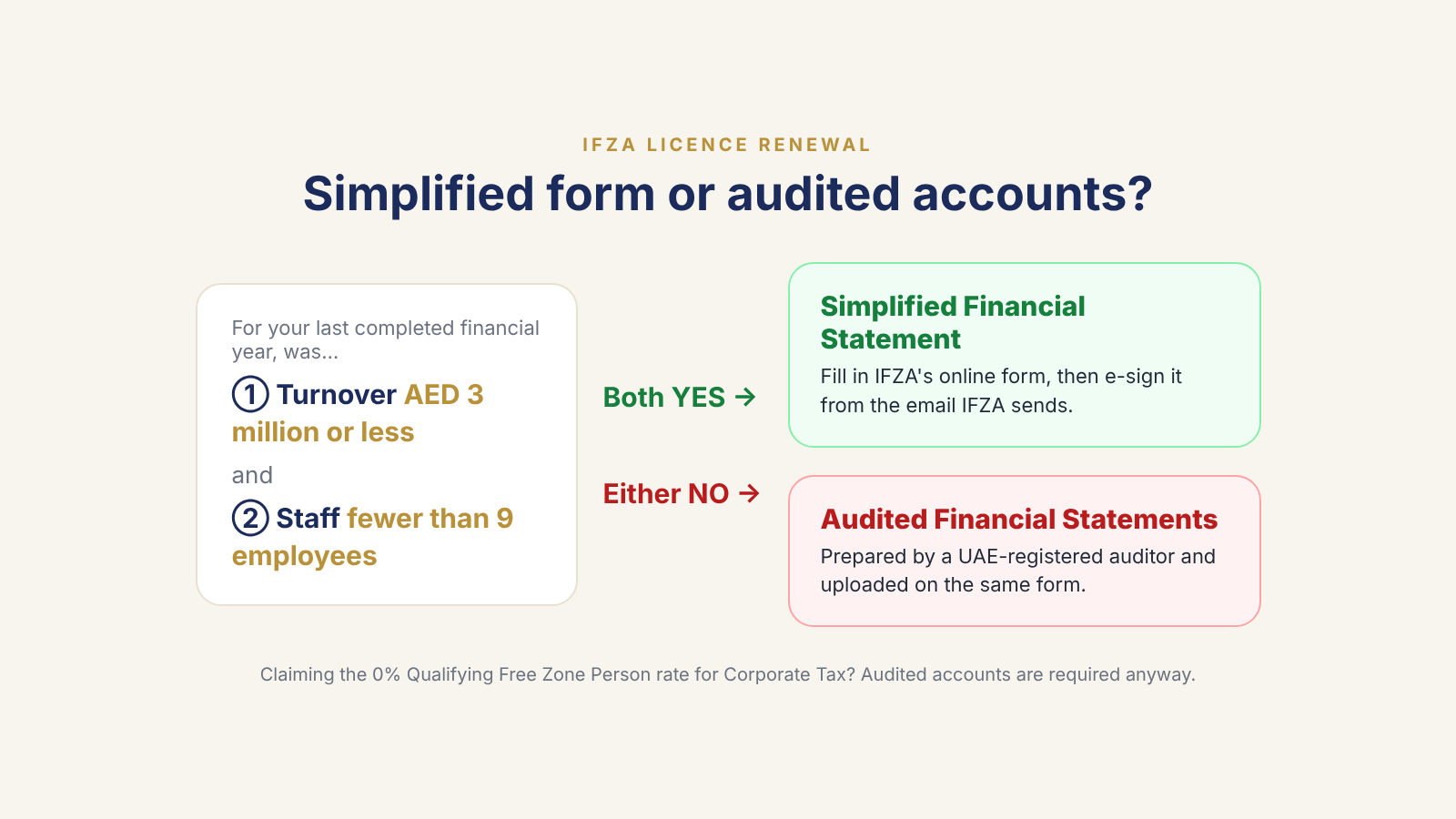
Look at your most recently completed financial year and ask two questions. Was your turnover AED 3 million or less? Did you have fewer than 9 employees? If the answer to both is yes, you can use the Simplified Financial Statement. If either answer is no, you must upload audited financial statements instead.
Turnover means the gross income from all your business activities in the year, not your profit. VAT you charged your customers is not your income, so leave it out. An employee is anyone who works for the company under a signed employment contract, under the company's supervision, whether or not the company sponsors their visa.
If you had exactly 9 employees, check with IFZA before you choose. The current form says "fewer than 9", while IFZA's earlier FAQ said "nine or fewer". You can ask at renewals@ifza.com.
Important
Claiming the 0% Corporate Tax rate? You need an audit anyway
A free zone company that is a Qualifying Free Zone Person, and pays 0% Corporate Tax on its qualifying income, must keep audited financial statements under Ministerial Decision No. 84 of 2025, whatever its size. So does any business with revenue above AED 50 million. If your company is in either group, you will already have audited accounts, and IFZA accepts the same audit report you prepared for the FTA.
Which Accounting Basis to Use
| Turnover of AED 3 million or less | Cash basis allowed |
|---|---|
| Above AED 3 million and below AED 50 million | IFRS for SMEs |
| AED 50 million or more | Full IFRS |
Why the Accounting Basis Matters
These are the same thresholds used for UAE Corporate Tax. On a cash basis, you record income when the money arrives and expenses when you pay them. That keeps the simplified form straightforward: most of your figures come straight from your bank statements. Whatever basis you use, your figures should match the accounts behind your Corporate Tax return.
Documents to Keep Ready Before You Start
- Bank statements for every company account, covering the current and previous financial year
- Your sales invoices or a revenue report for the year
- Receipts and invoices for your expenses (rent, salaries, licence and visa costs, software and so on)
- Last year's financial statements or figures, for the Previous Year column
- Your employee list, employment contracts or WPS payroll records, to count staff
- Invoices for equipment, furniture or vehicles the company owns
- Loan agreements, including any money lent to the company by its owners
- Your Articles of Association, to confirm your financial year dates
- Your Corporate Tax return or audit report, if you already have one for the year
How to Fill In the Simplified Form, Field by Field
- 1
GM email
The email address of the company's General Manager, which IFZA usually fills in for you. Check it is correct and in use, because the signing email goes there.
- 2
Company name and trade licence number
These are filled in from IFZA's records. Make sure they match your licence.
- 3
Financial year start and end dates
The year you are reporting on, as set in your Articles of Association. A first financial year can be longer than 12 months, so it often starts on the date the company was set up.
- 4
Current assets
What the company owns that will turn into cash within a year: mainly your bank balances at the year-end date, plus any money customers still owe you and any stock you hold.
- 5
Non-current assets
Things the company owns and uses for more than a year, such as laptops, furniture, vehicles or long-term deposits.
- 6
Total assets
Current assets plus non-current assets.
- 7
Current liabilities
What the company owes and must pay within a year: unpaid supplier bills, salaries due, VAT payable or a short-term loan.
- 8
Non-current liabilities
What the company owes over more than a year, such as a long-term loan or a loan from the owners that won't be repaid within 12 months. Enter 0 if there are none.
- 9
Total liabilities
Current liabilities plus non-current liabilities.
- 10
Total equity
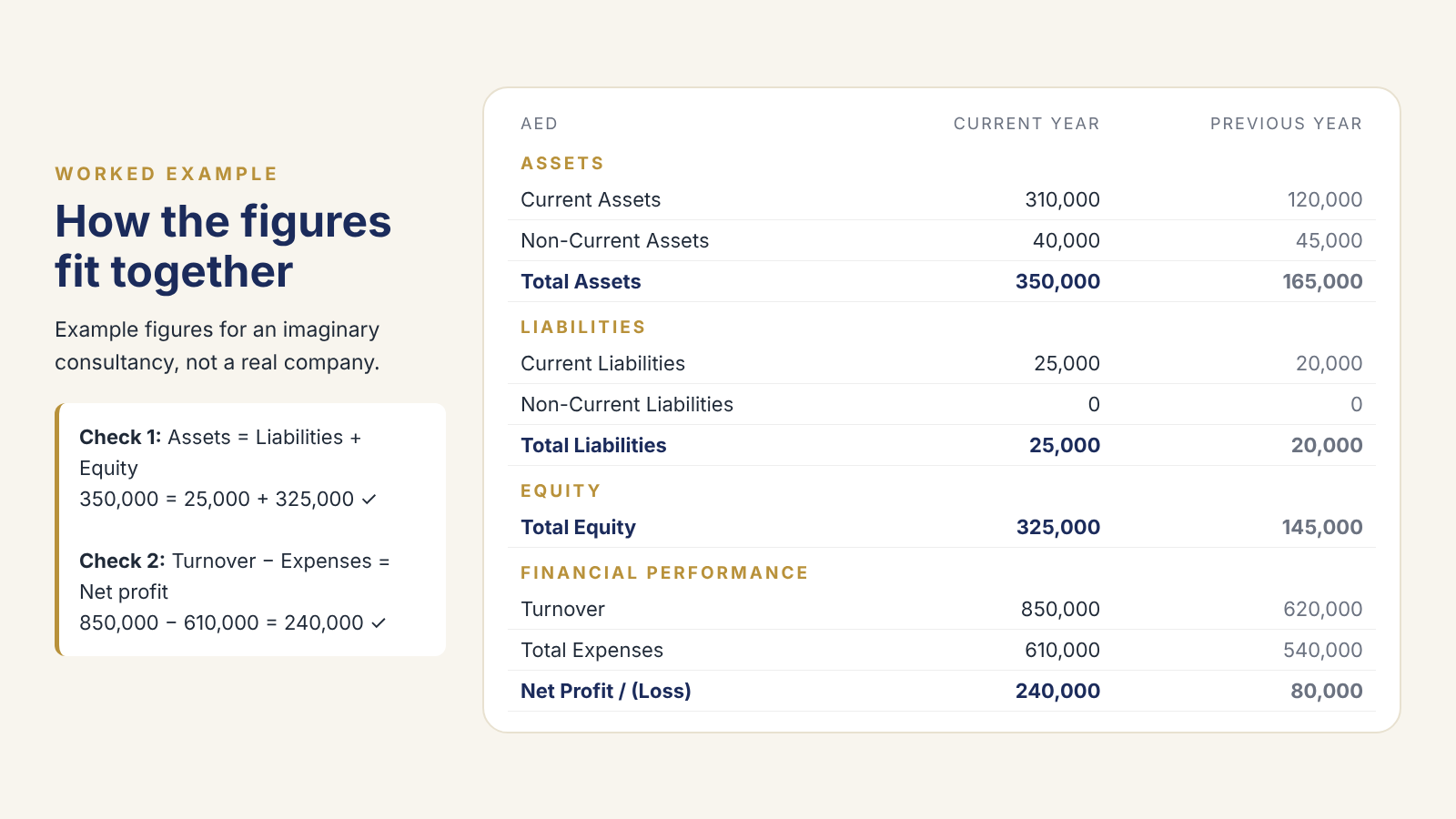
The owners' share of the company: share capital plus profits kept in the business. It must equal total assets minus total liabilities. If it doesn't, one of the figures above is wrong.
- 11
Turnover
Your total income from business activities for the year, without the VAT you charged.
- 12
Total expenses
Everything the company spent running the business in the year: rent, salaries, licence and visa fees, software, marketing and so on. Money the owners take out of the company is not an expense.
- 13
Net profit or loss
Turnover minus total expenses. A loss is entered as a negative figure.
- 14
Previous year column
Every figure is also asked for the year before. Copy these from last year's statements so they match what you reported then. If the company did not exist in the previous year, there are no previous-year figures.
- 15
Number of employees
The average number of people the company employed during the year. Remember that the simplified form is only for companies with fewer than 9 employees.
- 16
The three declarations
Tick "I Declare" to confirm the figures are accurate and match your records, "I Accept" to acknowledge that false information can have legal consequences, and "I Agree" to accept that IFZA can ask for audited accounts at any time.
Submitting and Signing
- 1
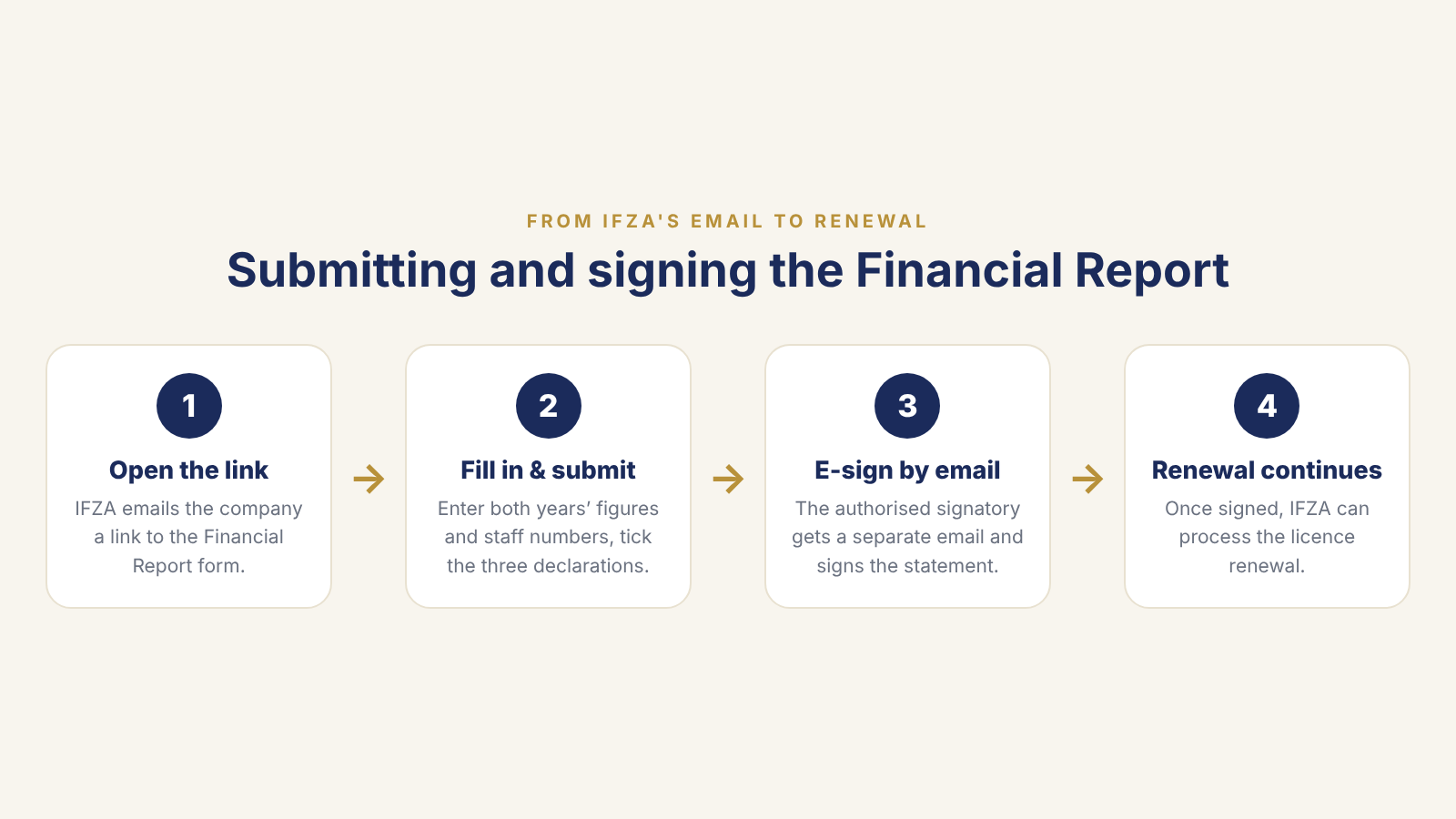
Open the link in IFZA's email
Use the Financial Report link IFZA sent to the company. If you don't meet the simplified criteria, click "Upload Audited Financial Statement" on the same page and upload your audit report instead.
- 2
Fill in the form and submit it
Enter every figure for both years, tick the three declarations and submit.
- 3
Sign from the separate email
After you submit, IFZA sends an email so the Simplified Financial Statement can be signed electronically. It must be signed by the authorised signatory, normally the General Manager, as IFZA's reminder email makes clear. Check the inbox, including spam, of the GM email entered on the form.
- 4
Let the renewal continue
Once the statement is signed, IFZA can continue with the licence renewal. Keep a copy of the signed statement and the records behind your figures.
Common Mistakes to Avoid
- Figures that don't balance: total assets must equal total liabilities plus total equity
- Including the VAT you charged customers in your turnover
- Reporting the wrong financial year
- Submitting the form but never signing the follow-up email, so the renewal stays on hold
- The form being signed by someone who isn't the company's authorised signatory
- Uploading a report exported from accounting software instead of using IFZA's form
- Previous-year figures that don't match what you reported last year
- Numbers that don't match your Corporate Tax return or bank statements
Frequently Asked Questions
- Does a company with no activity still have to submit?
- Yes. Every IFZA licensee must submit at renewal. A company that did not trade completes the simplified form with its actual figures, which may be zero turnover and only the year's running costs.
- Can I use the audit report I prepared for Corporate Tax?
- Yes. If you already have audited financial statements for the FTA covering the most recent financial year, IFZA accepts the same report.
- Does the audit have to be done by an IFZA-approved auditor?
- No. IFZA's guidance says any auditor registered in the UAE can prepare the audited financial statements.
- Who is allowed to sign?
- The authorised signatory: a Manager, Director or Shareholder recorded with IFZA. IFZA's emails ask that the Authorised Signatory or General Manager signs.
- What happens if I don't submit?
- IFZA cannot process the licence renewal until the financial statement is submitted and signed, and its reminder emails warn that monthly fines may apply.
- Can IFZA ask for an audit even if I used the simplified form?
- Yes. One of the declarations on the form confirms that IFZA can ask for audited financial statements at any time, and that the company must provide them.
- Is this the same as my Corporate Tax return?
- No. The Financial Report is an IFZA licensing requirement. Your Corporate Tax return is filed separately with the FTA. The figures should match, because they come from the same accounts.
Need Help With Your IFZA Financial Report?
We prepare the figures from your bank statements and records, check that everything balances, fill in the form with you and make sure it is signed on time, so your renewal goes through. If you need audited accounts, we prepare them for the auditor too.